DuoPlus Cloud Phone: A Multi-Account Operations Tool for Cross-Border Teams
Against the backdrop of rapid growth in cross-border e-commerce, overseas social media operations, and globalized business expansion, companies and teams are facing increasingly complex operational challenges:
⦁ Growing demand for multi-region accounts and devices
⦁ High costs and maintenance complexity of local physical devices
⦁ Distributed teams with inconsistent operational workflows
⦁ Large amounts of time consumed by repetitive operational tasks
⦁ DuoPlus Cloud Phone was created to address these challenges.
Powered by cloud-based virtualization technology, DuoPlus provides cross-border teams with a stable, scalable, and collaboration-friendly cloud phone environment—helping businesses operate globally with lower costs and higher efficiency.
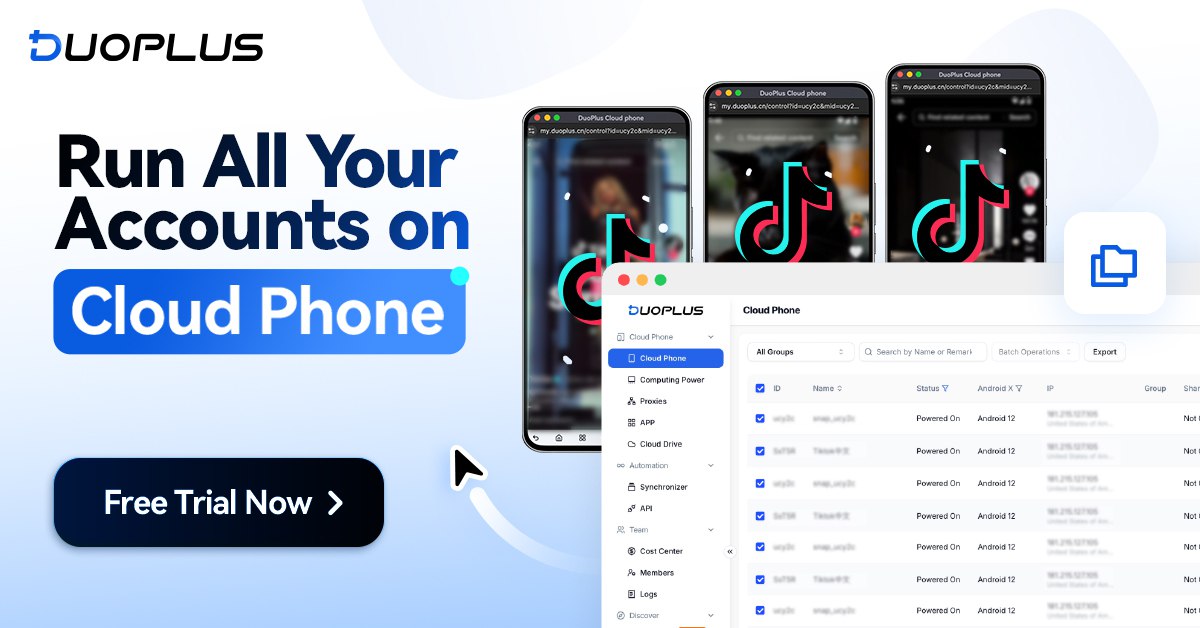
Why Choose DuoPlus
DuoPlus Cloud Phone is more than a simple remote device. It is a cloud-based mobile device solution purpose-built for cross-border business scenarios.
By integrating cloud phone clusters, account-level isolation, and team collaboration mechanisms into a unified platform, DuoPlus enables stable operations across multiple platforms and regions.
With DuoPlus, teams no longer need to purchase, deploy, or maintain large numbers of physical devices. Instead, independent cloud-based Android phones can be deployed instantly via browser or PC, enabling flexible, centralized management of accounts across regions.
Core Advantages
Real ARM Architecture, Not a Traditional Emulator
Unlike traditional emulators or low-fidelity virtual environments, DuoPlus is built on real ARM-based cloud devices. At the system level, runtime behavior, and application compatibility, it closely mirrors real smartphones.
This architecture ensures more stable performance for mainstream mobile apps, reduces anomalies caused by environment inconsistencies, and is ideal for long-term, multi-account, and multi-scenario operations.
Device-Level Isolation for Secure Operations
Each DuoPlus cloud phone is a fully independent Android device with its own system environment, storage, and process state.
This device-level isolation ensures that different accounts and projects do not interfere with one another, enabling teams to manage multiple mobile environments securely and in an organized manner on a single platform.
Global Environment Support Optimized for Cross-Border Use
DuoPlus Cloud Phone is specifically designed for cross-border operations, supporting multi-country GPS locations and regional SIM configurations.
Teams can quickly adapt to different regional requirements without repeatedly switching physical devices, making overseas operations faster and more flexible.
Accessible Across All Devices
DuoPlus Cloud Phone is accessible from any device. Simply open a browser to create and manage multiple cloud phones instantly.
Account status and cloud phone sessions sync in real time, allowing seamless switching between desktop and mobile devices and improving team collaboration efficiency.
Key Features Overview
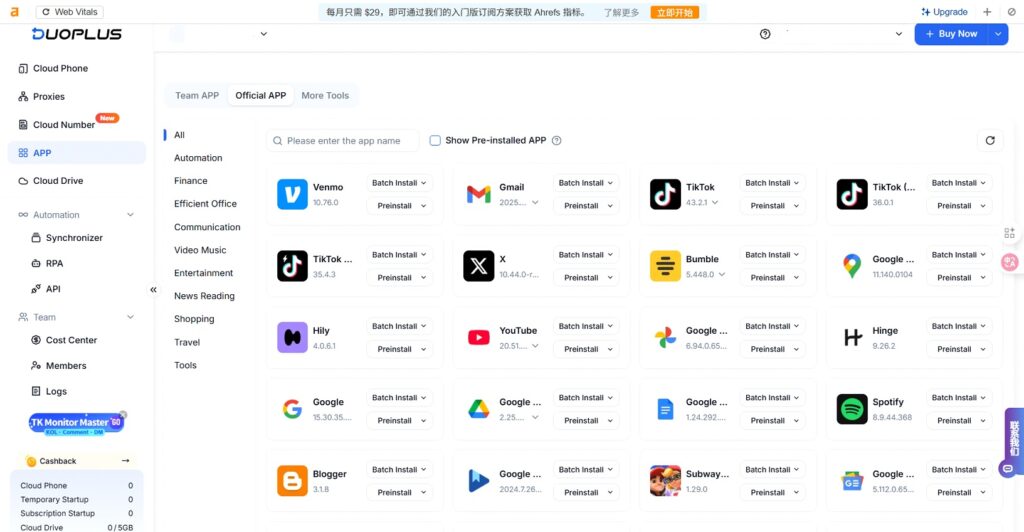
App Installation & Management
DuoPlus Cloud Phone supports one-click installation of major overseas apps such as TikTok, Facebook, and Telegram, along with app version management to minimize compatibility issues and ensure stable operations.
⦁ Official & App Store Installation Install apps via DuoPlus App Management or Google Play. If an app is not listed, users can contact support to add it or upload a custom APK.
⦁ Third-Party APK Installation Install apps via third-party app stores (e.g., Uptodown), upload local APK files, or download directly through the cloud phone browser.
⦁ Batch App Management Perform app installation, launch, uninstall, and startup actions on up to 20 cloud phones simultaneously.
With multiple installation methods and batch management, teams can deploy required apps across multiple devices quickly—saving significant time and operational costs.
Operation Sync
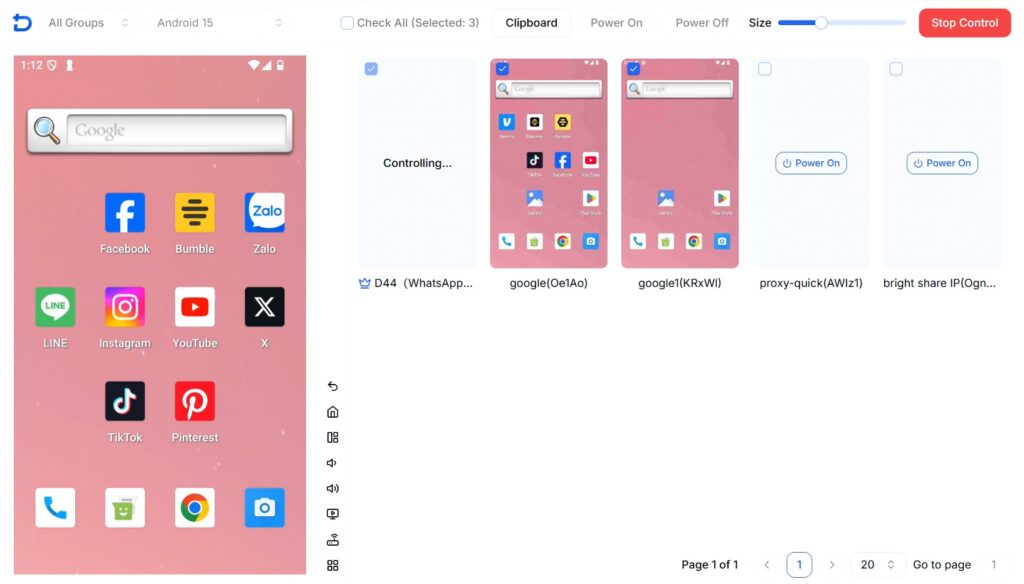
DuoPlus Cloud Phone allows actions performed on one cloud phone to be synchronized across multiple cloud phones, enabling matrix-style account management.
⦁ Synchronized Daily Operations Content posting, likes, follows, comments, and other actions can be executed simultaneously across multiple devices.
⦁ Group Control Manage and control multiple cloud phones at once to ensure consistent operations.
⦁ Clipboard Sync with Variable Inputs Different strings can be written during synchronization, allowing accounts to perform similar actions with unique content.
Operation Sync shifts teams from “one-by-one account handling” to centralized, scalable management, significantly improving efficiency while maintaining stable account behavior.
RPA Automation
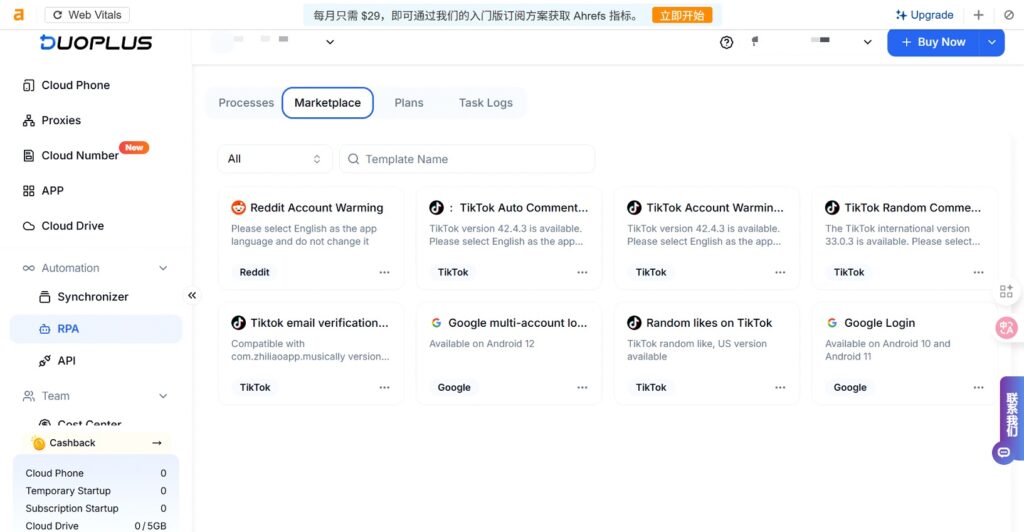
DuoPlus Cloud Phone integrates RPA (Robotic Process Automation) to automate standardized and repetitive tasks.
⦁ Customizable Automation Flows Create RPA workflows with conditional logic and randomized delays to simulate real user behavior—ideal for login, content interaction, and routine tasks.
⦁ Scheduled & Loop Execution Automate tasks at specific times or intervals to ensure continuous operations.
⦁ Task Logs & Monitoring View detailed execution logs to analyze and optimize automation workflows.
⦁ Template Marketplace Prebuilt templates such as TikTok auto-commenting, account warm-up, and Reddit account nurturing enable fast deployment without complex setup.
By executing tasks on independent cloud phones, RPA automation closely resembles real user behavior—improving efficiency while reducing the risk of account restrictions.
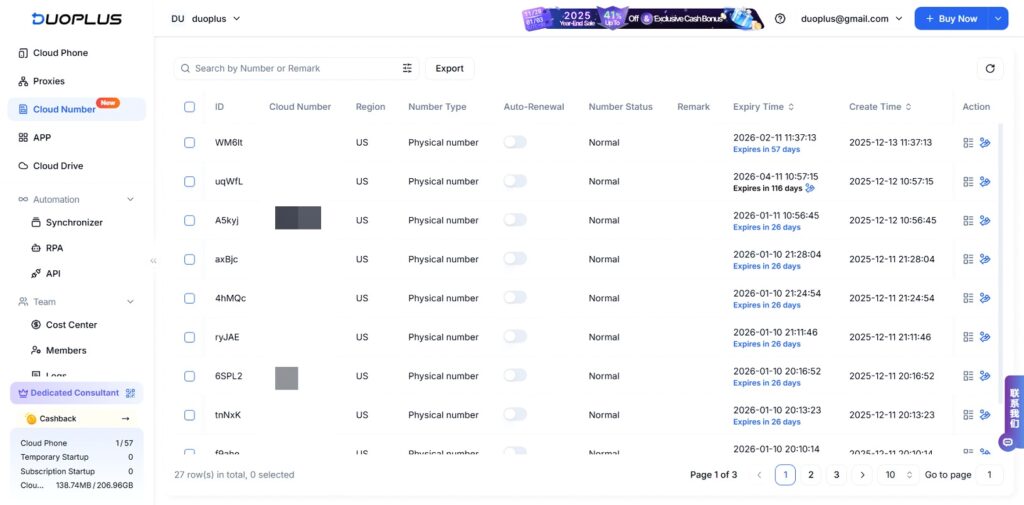
Cloud Numbers
DuoPlus Cloud Phone allows users to purchase overseas physical and virtual phone numbers and bind them directly to cloud phones for secure account registration and verification.
⦁ Multi-Platform Compatibility Supports both physical and virtual numbers for platforms like WhatsApp, Telegram, and Zalo.
⦁ Centralized Management Numbers, SMS messages, and usage status are managed in a unified dashboard, eliminating the need for third-party SMS platforms.
⦁ Cloud Phone Binding Numbers can be linked directly to cloud phones, ensuring consistent registration and operational behavior.
⦁ Renewal & Long-Term Leasing Supports number renewal to avoid frequent changes, improving account stability for long-term operations.
Cloud Numbers unify device and phone number management, reducing operational friction while improving account reliability and continuity.
Typical Use Cases
Cross-Border E-Commerce Store Management
With device isolation and independent network configurations, sellers can securely manage store logins, product listings, and customer communication while reducing account linkage risks.
Overseas Social Media Marketing
Operate Facebook, Instagram, TikTok, Twitter/X, Tinder, and other accounts independently across cloud phones to build a stable social media matrix.
Market Testing & Product Validation
Test app performance, workflows, and new features across different environments without additional hardware.
Global Remote Teams
Team members can access their work environment through DuoPlus without managing physical devices—enabling true cloud-based collaboration.
How to Quickly Set Up a DuoPlus Cloud Phone
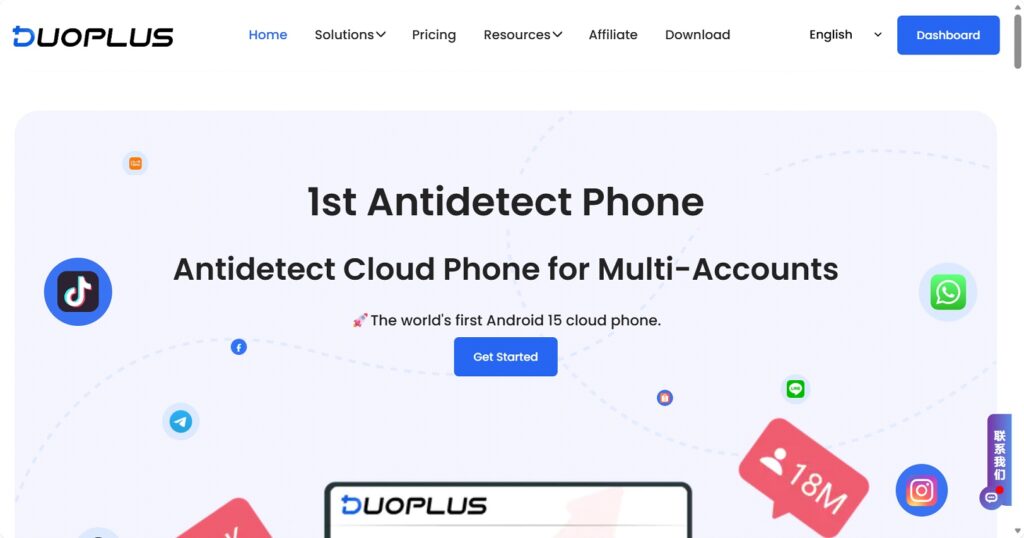
- Visit the DuoPlus official website and log in to the cloud phone management console
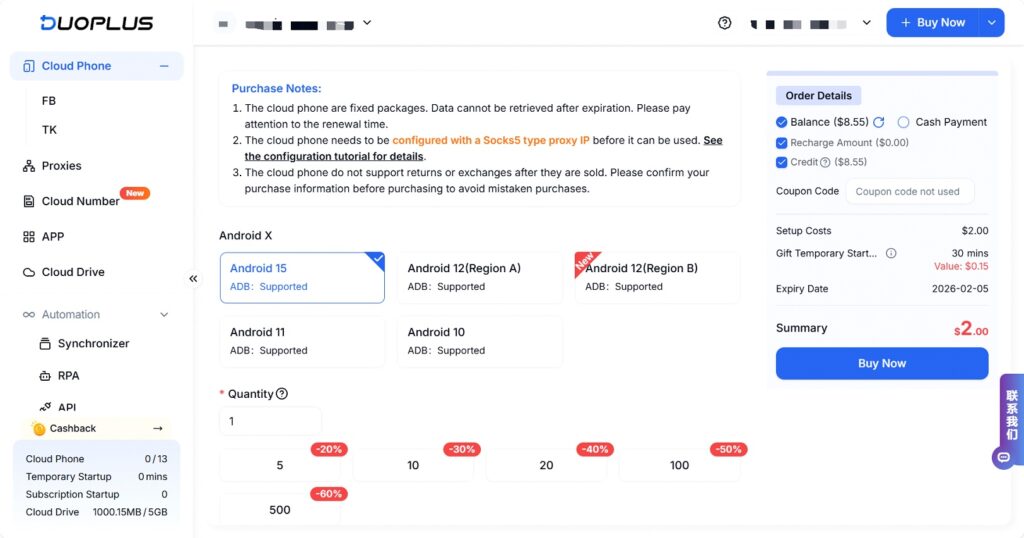
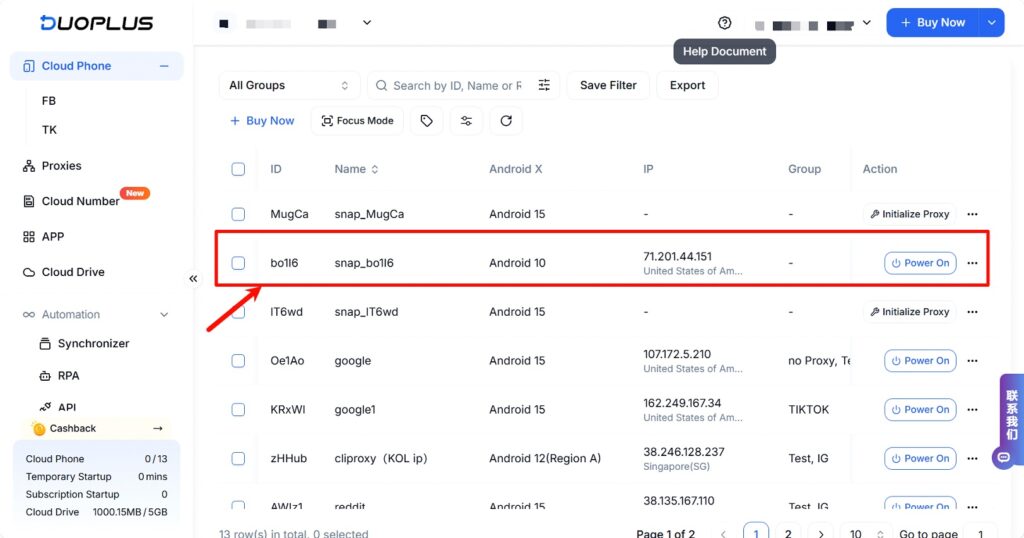
2. Subscribe to the required number of cloud phones and select Android versions (Android 10 / 11 / 12 / 15)
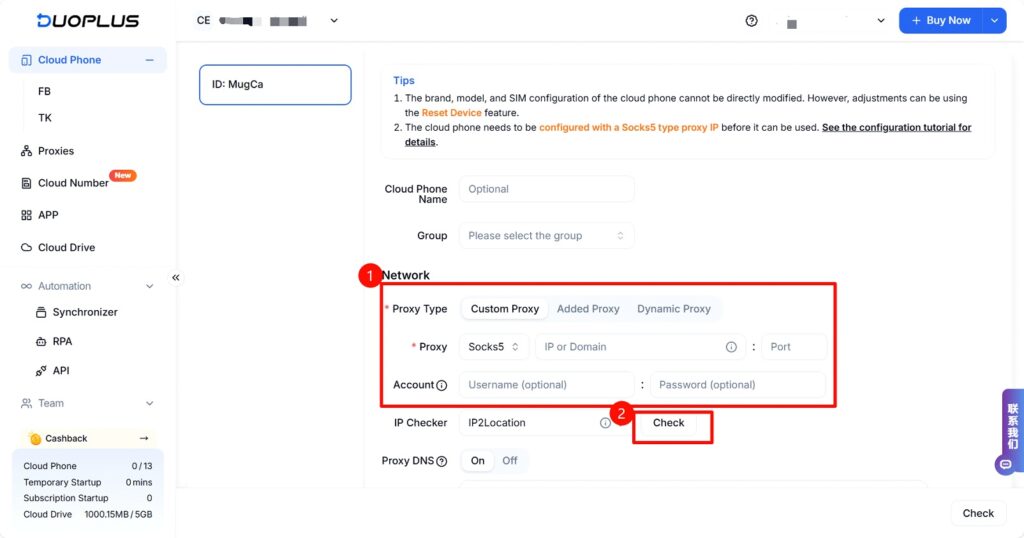
3. Select a cloud phone from the list and click “Initialize Proxy” to configure an overseas proxy IP for the device (Socks5 proxies only). This effectively sets the cloud phone as a mobile device located in the selected region.
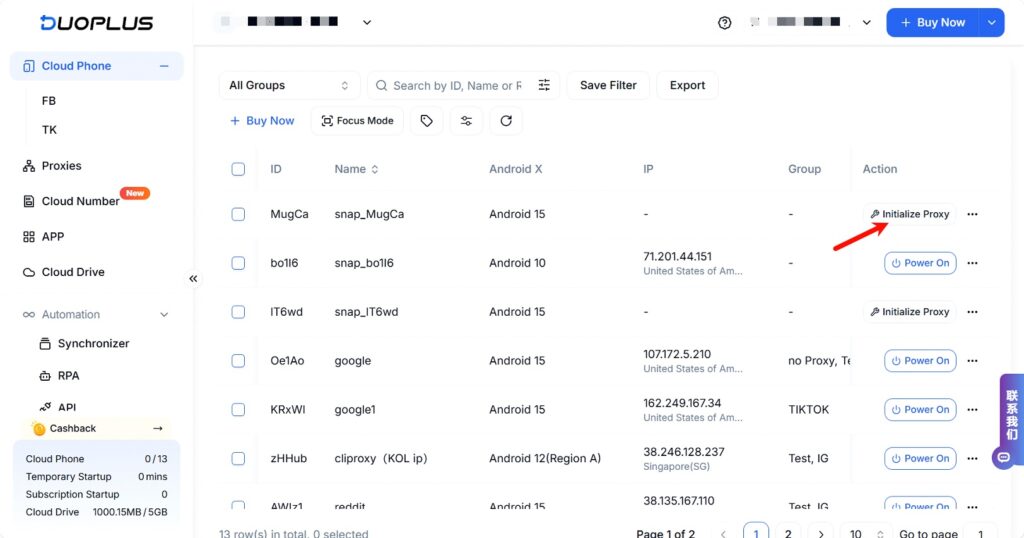
You can purchase proxy resources from any proxy service provider, then copy and paste the proxy details into the configuration field and check the proxy’s availability.
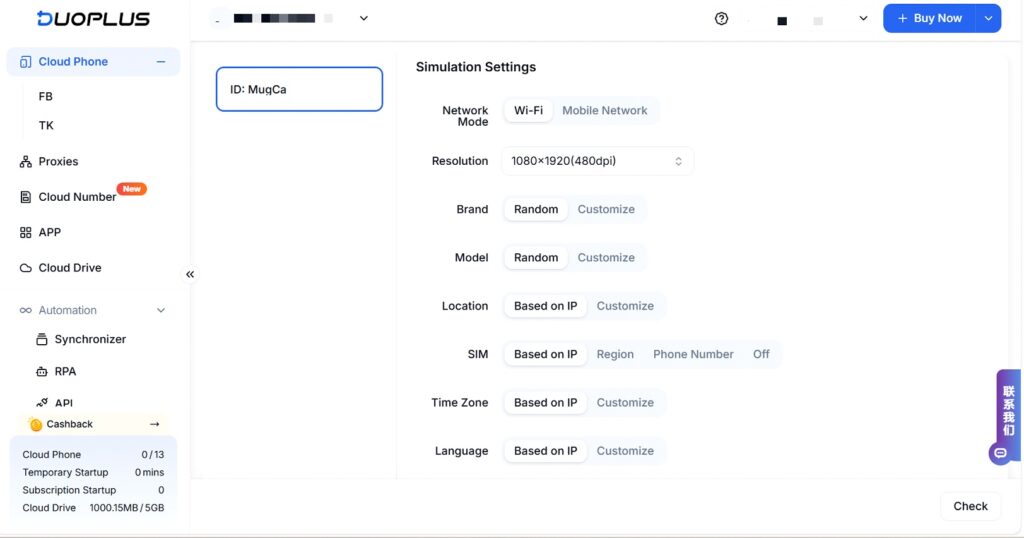
4. Configure device simulation parameters such as network type, resolution, device brand/model, and SIM settings, then complete setup.
With just a few steps, your cloud phone is ready for use.
Flexible Subscription Plan
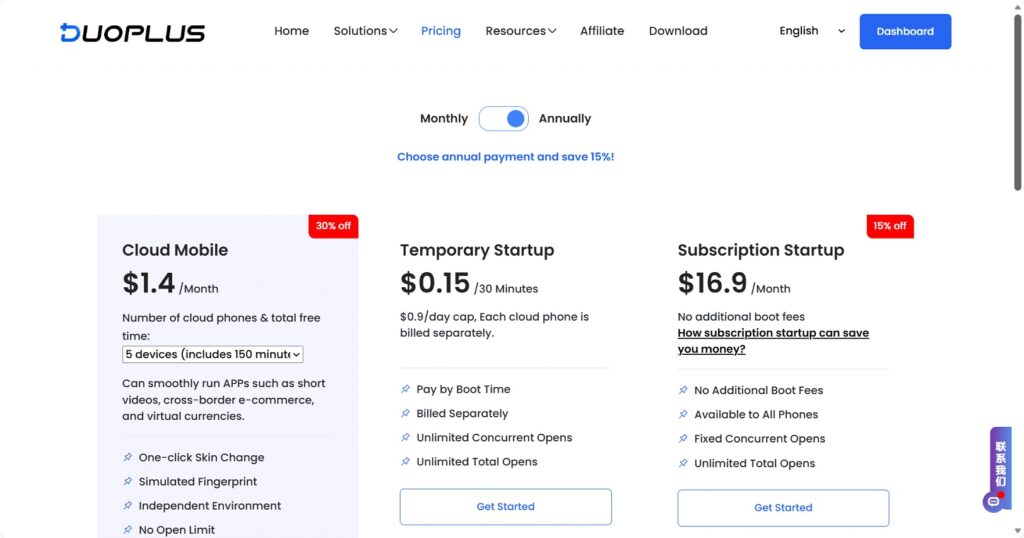
DuoPlus Cloud Phone offers flexible subscription plans and power-on usage modes.
Power-On Mode:
⦁ Temporary Startup Charged based on usage duration, deducted directly from your DuoPlus account balance when powered on.
⦁ Subscription Startup Unlimited power-on sessions during the subscription period with no additional activation fees. (Learn more: What is Temporary Startup and Subscription Startup?)
Conclusion
As cross-border and global operations become the norm, devices should no longer be a barrier to growth.
Through cloud-based, centralized, and collaborative design, DuoPlus Cloud Phone offers teams a lightweight and efficient solution for multi-account operations.
If your team is looking to reduce device costs, improve operational efficiency, and support scalable global growth, DuoPlus Cloud Phone is a solution worth exploring.